GK222 iOS Web App: Install on iPhone & iPad Without App Store
How to install and play GK222 on Apple iOS devices. Add the high-performance Progressive Web App (PWA) to your iPhone home screen with Safari and enjoy instant touch login.
- Instant 10-second installation directly via Safari with zero App Store restrictions.
- Full standalone fullscreen experience with zero browser address bar clutter.
- Native Apple Face ID and Touch ID biometric authentication support.
- Full access to 2,000+ games, live cricket betting, and instant 2-minute bKash cashouts.
Understanding iOS Gaming App Restrictions in Bangladesh
Apple's App Store maintains rigid regional guidelines that prevent real-money casino and sports betting applications from being published in South Asian storefronts, including Bangladesh. In the past, some operators attempted to bypass this by distributing unstable 'Enterprise Certificates' that required users to trust unverified corporate profiles in iOS settings, which Apple frequently revoked every few weeks.
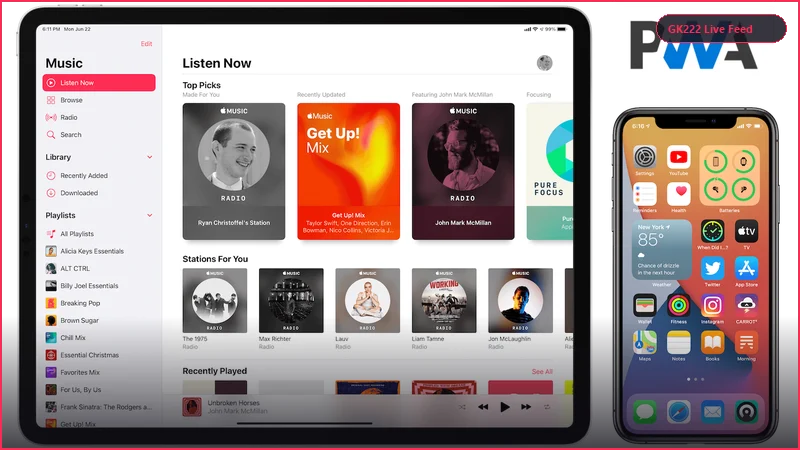
GK222 has adopted Apple's officially recommended enterprise standard: the Progressive Web App (PWA). Powered by modern HTML5, WebGL, and Apple WebKit service workers, our iOS web app delivers a true native app experience directly from Safari. There are zero certificates to trust, zero risk of app revokes, and zero storage space consumed on your iPhone.
Standalone Fullscreen Display
Once added to your Home Screen, the GK222 iOS app launches without the Safari top URL bar or bottom navigation controls, providing an immersive, edge-to-edge native interface.
Instant Automatic Cloud Updates
You never need to update your app through the App Store. New features, games, and security updates deploy automatically in the cloud every time you launch the app.
Performance Optimization on Retina Displays & Apple Silicon
Apple devices are renowned for their stunning Super Retina XDR OLED displays and powerful Bionic/M-series processors. The GK222 iOS app is engineered to take full advantage of this hardware power, delivering crisp 1080p 60 FPS live video streams from Evolution and Pragmatic Play studios with perfect color accuracy.
Whether you are watching the live roulette wheel spin, playing high-speed multi-hand blackjack, or following live cricket ball-by-ball animations, the interface responds instantly to your touch with zero lag or stutter.

Apple WebAuthn Face ID Integration
Log in effortlessly using Apple's secure Face ID or Touch ID biometric sensors, keeping your account protected with hardware-level security.
Zero Battery & Storage Drain
Because the PWA utilizes Safari's optimized WebKit engine, it consumes significantly less battery power and memory than bloated hybrid app wrappers.
Step-by-Step Installation via Apple Safari
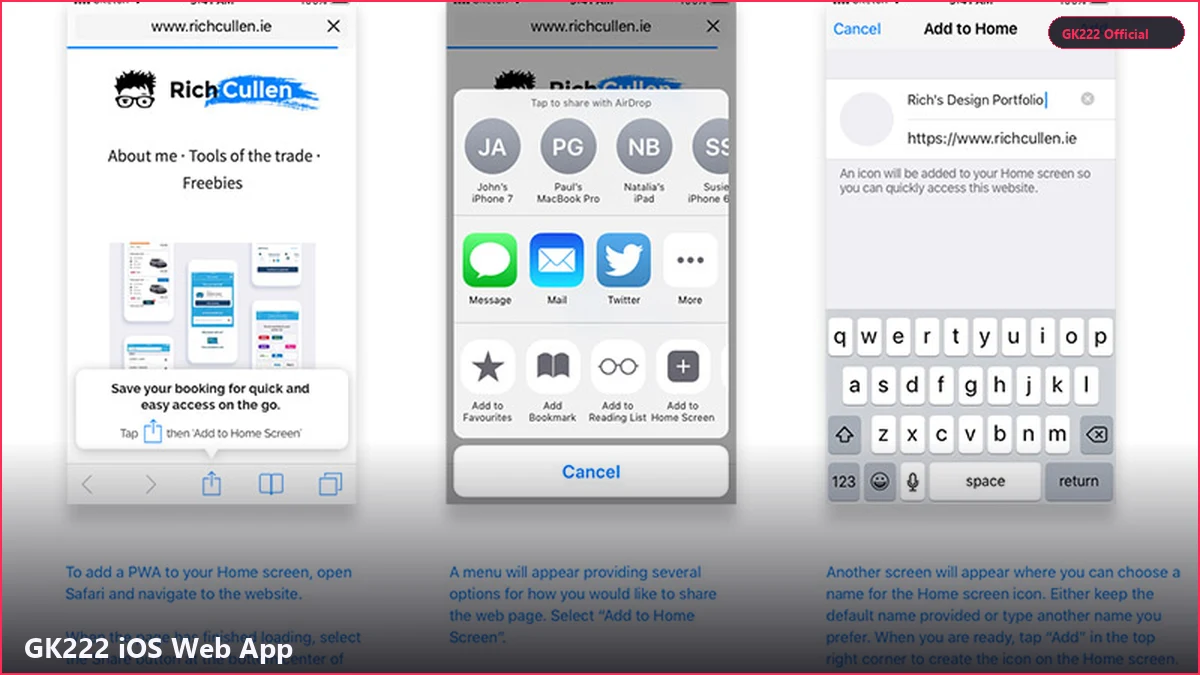
Adding the GK222 app to your iPhone or iPad home screen requires just a few simple taps. Please note that you must use Apple's native Safari browser to perform the installation, as third-party iOS browsers (like Chrome or Firefox) cannot add standalone PWAs to the iOS SpringBoard:
1. **Open Safari:** Launch the default Safari browser on your iPhone or iPad. 2. **Visit gk222ok.net:** Navigate to our official homepage. 3. **Tap the Share Button:** Look at the bottom toolbar of Safari and tap the 'Share' icon (a square with an upward-pointing arrow). 4. **Select 'Add to Home Screen':** Scroll down the share menu options and tap 'Add to Home Screen'. 5. **Confirm Installation:** Tap 'Add' in the top-right corner. The official gold GK222 icon will appear on your iPhone home screen immediately!
Organizing on Your Home Screen
You can move the GK222 icon into your favorite gaming folder or dock for instant one-touch access alongside your messaging and banking apps.
iPad Split View & Multitasking
On iPadOS, enjoy full compatibility with Split View and Slide Over, allowing you to monitor live cricket scores while browsing other apps.
Mobile Banking on iOS with bKash & Nagad
Depositing and withdrawing money on your iPhone is fast and convenient. When you open the Cashier on the GK222 iOS app, you can seamlessly switch between the GK222 app and your installed bKash or Nagad iOS applications.
Simply copy the official merchant wallet number, open your bKash app to authorize the transfer, copy the 10-digit TrxID, and paste it back into GK222. Withdrawals are processed through our automated payout queue, arriving in your mobile wallet in under 2 minutes.
Zero Transaction Fees on iOS
GK222 absorbs all payment processing fees, ensuring you receive 100% of your deposit and withdrawal amounts in BDT.
Instant SMS Transaction Confirmations
Receive immediate SMS alerts from your telecom provider confirming the successful credit of your funds.
| Attribute | Specification / Benchmark | User Benefit |
|---|---|---|
| Platform Type | Progressive Web App (PWA) | No App Store download or jailbreaking required |
| Installation Browser | Apple Safari (Native iOS WebKit) | 10-second instant home screen shortcut setup |
| Compatible Devices | iPhone 8 through iPhone 16 Pro Max, iPad, iPad Pro | Universal Apple hardware support |
| Minimum iOS Version | iOS 13.0 or higher | Compatible with 99% of active Apple devices |
| Biometric Security | Apple Face ID & Touch ID (WebAuthn) | Hardware-grade biometric login protection |
| App Storage Footprint | Less than 2 MB (Safari Cache) | Zero storage impact on internal phone memory |
| Display Mode | Fullscreen Standalone (No URL Bar) | True native app visual feel and gesture control |
| Banking Support | bKash, Nagad, Rocket, Upay, USDT | Seamless switching to official iOS banking apps |
Frequently Asked Questions
Related Guides in Mobile App & APK